***
title: Segments
description: >-
Learn how to use segments in Unleash to group strategy constraints, target
specific user contexts, and manage consistent rollout conditions across
multiple feature flags and environments.
keywords: >-
segments, strategy constraints, feature flags, activation strategies, context,
reusable constraints
'og:site\_name': Unleash Documentation
'og:title': Segments for Reusable Strategy Constraints
max-toc-depth: 3
----------------
A segment is a reusable collection of [strategy constraints](/concepts/activation-strategies#constraints). [Feature flags](/concepts/feature-flags) have one or more [activation strategies](/concepts/activation-strategies) that define how and when a feature is shown, for example, to a percentage of users, to a specific group, or only in certain environments.
Segments make these strategies easier to manage. Instead of repeating the same rules in multiple places, you can define a segment once and reuse it across any number of feature flags or [release templates](/concepts/release-templates).
Segments let you describe groups of users or contexts. You can use them to define conditions such as users in a specific country or region, users on mobile devices, or internal users or testers.
Segments stay in sync across activation strategies and any updates propagate automatically to all strategies that use them. This makes them ideal for grouping larger releases together, for example, enabling or disabling a collection of flags at the same time using time-based constraints.
## Segment evaluation
All constraints in a segment must match for the segment to evaluate to `true`.
If an activation strategy includes both segments and individual constraints, all of them must evaluate to `true` for the strategy to activate.
An empty segment always evaluates to `true`. Use caution when creating or applying segments that don't include any constraints, as you may unintentionally enable a feature for all users.
## Create a segment
Before you begin, make sure you have [permissions](/concepts/rbac) to manage segments in your project. If your project requires [change requests](/concepts/change-requests#change-requests-for-segments), your changes to segments need to go through the same approval process before they go live.
To create a segment:
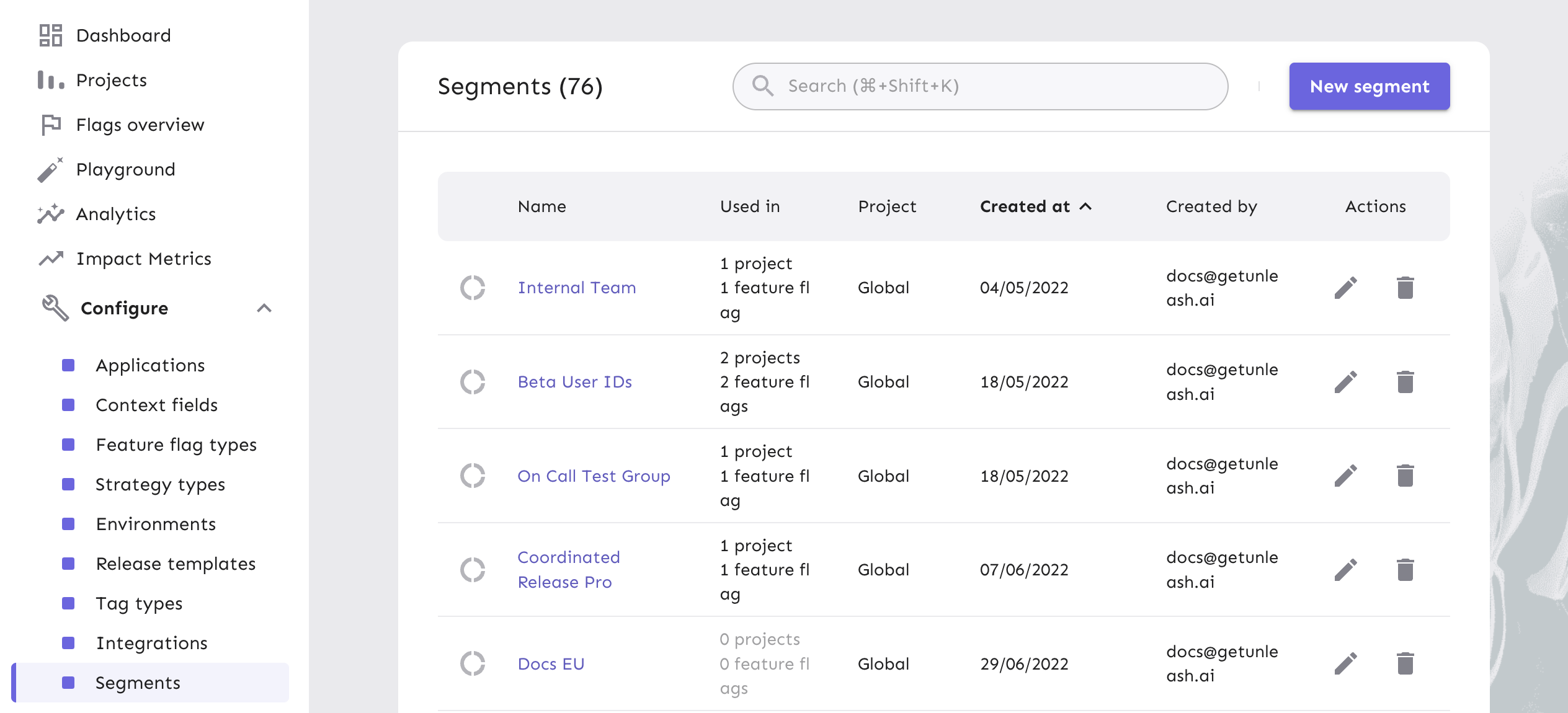
1. Go to **Configure > Segments**.
2. Click **New segment**.
3. Enter a **Segment name** and optionally a description.
4. \[Optional] To limit the segment to a single project, select a project. Leave blank for global segments.
5. Add constraints:
* Select a **predefined context field** (for example, `userId`, `appName`, `region`) or create a new one.
* Choose an **operator** (for example, `is one of` or `starts with`).
* Select one or more **values**.
6. Click **Create segment**.
## Use a segment in a feature release
To use a segment in a feature flag's activation strategy:
1. Go to the feature flag you want to configure.
2. Select the environment, then open the activation strategy you want to target.
3. In **Targeting**, click **Select segments**.
4. Add one or more segments and click **Save strategy**.
You can also add segments to strategies defined inside [release templates](/concepts/release-templates).
## Delete a segment
You can only delete a segment that isn't in use. Open the segment and check **Used in** to see which flags and strategies reference it.
If a segment is referenced in an open [change requests](/concepts/change-requests), first edit, apply, or reject that change request.
If a segment is used by an archived feature flag, you can still delete it. Deleting the segment removes it from the archived flag's strategies.
Before you begin, make sure you that have [permissions](/concepts/rbac) to manage segments in your project. If your project requires [change requests](/concepts/change-requests#change-requests-for-segments), deleting segments also need to go through the same approval process.
To delete a segment:
1. Go to **Configure > Segments**.
2. Confirm that **Used in** shows `0 projects` and `0 feature flags`.
3. Click **Remove segment**.
4. Enter the segment name to confirm.
5. Click **Save**.
## Segment limits
Segments are powerful but can become complex. Each constraint and value in a segment adds data that must be stored, synced, and evaluated at runtime.
Keeping segments a manageable size ensures that evaluations stay lightweight and that your SDKs can respond instantly—even at scale.
The combined number of values across all constraints in a single segment is limited by your plan:
* [OSS](/support/availability#plans): up to 250 total values per instance.
* [Enterprise](/support/availability#plans): up to 1,000 total values per instance.
You can attach up to five segments to a single activation strategy. This limit applies per strategy, not per feature flag.
If a flag includes two strategies, each one can have up to five segments.
If you're self-hosting, you can [configure segment limits](/concepts/resource-limits) with environment variables.
### Large segments
Segments follow the same performance principles as individual constraints. When targeting large audiences or using many values, keep payloads small and rely on higher-level attributes instead of long inclusion lists.
For practical guidance on optimizing performance, see [Using Unleash with large constraints](/guides/managing-constraints).