***
title: Quickstart
description: >-
Get started with Unleash in minutes. Sign up for a free trial, create your
first feature flag, and connect your application using our SDKs.
keywords: >-
quickstart, getting started, feature flags, unleash cloud, free trial, sdk
integration
'og:site\_name': Unleash Documentation
'og:title': Unleash Quickstart - Get Started in Minutes
max-toc-depth: 3
----------------
The easiest way to get started with Unleash is through a [cloud-hosted free trial](https://www.getunleash.io/plans/enterprise-payg). This gives you a ready-to-use instance, so you can explore all Unleash features without any local setup.
In this guide, you'll:
**Sign up** for a free, cloud-hosted Unleash Enterprise instance.
**Create your first feature flag** using the Unleash Admin UI.
**Connect Unleash to your application** by integrating an SDK into your codebase.
If you prefer to manage your own infrastructure, see the [self-hosted setup guide](/deploy/getting-started). To use the open-source version, see the instructions in the [Unleash GitHub repository](https://github.com/Unleash/unleash?tab=readme-ov-file#get-started-with-unleash).
## Sign up for an Unleash Enterprise Cloud trial
Start by signing up for a free 14-day trial of Unleash Enterprise Cloud. After you submit the form, you will receive a confirmation email. Follow the link in the email to set your password and log in to your Unleash instance.
## Create your first feature flag
Once you've logged in, it's time to create your first feature flag:
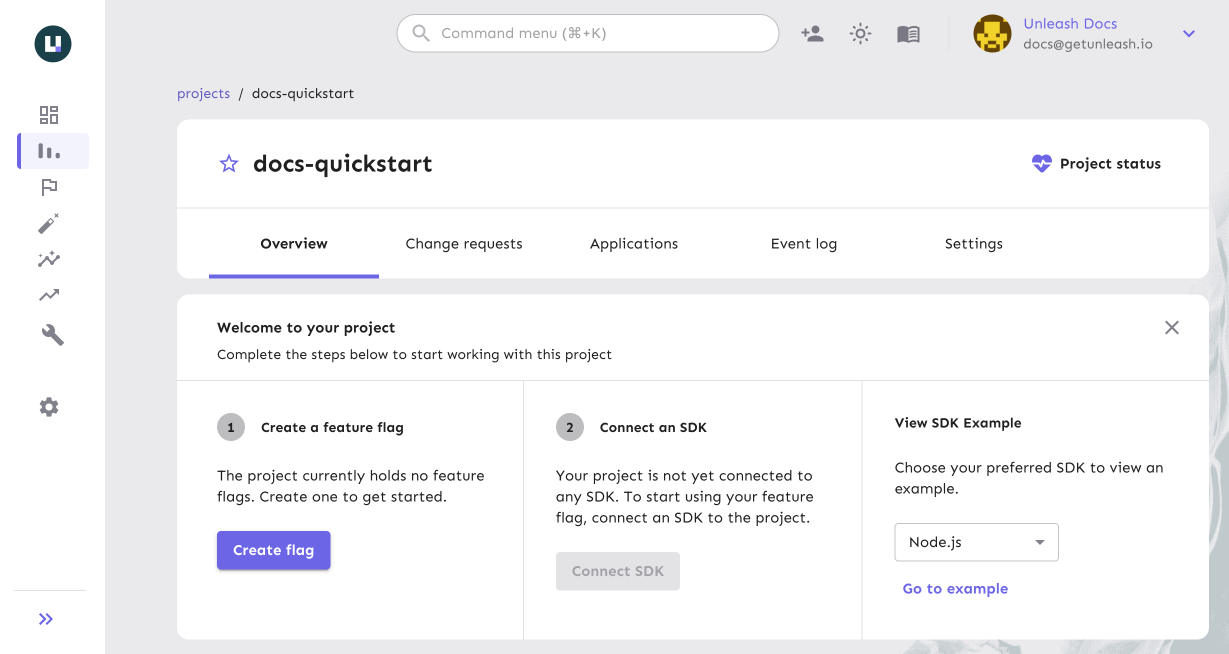
In the Unleash Admin UI, open the **Default** project.
Click **New feature flag**.
Enter a name, and click **Create feature flag**.
For more details on creating feature flags, see [How to create a feature flag](/guides/how-to-create-feature-flags).
## Connect your application to Unleash
Next, use one of the client or backend [SDKs](/sdks) to connect Unleash with your application.
Explore our SDK examples directly in your browser with CodeSandbox. Check out the [Unleash SDK Examples](https://github.com/Unleash/unleash-sdk-examples) repository to try one now.
In the Unleash Admin UI, create a [frontend API token](/concepts/api-tokens-and-client-keys#frontend-tokens) in **Admin settings > Access control > API access**.
Find the base URL of your Unleash Cloud instance.
For example, `https://us.app.unleash-hosted.com/some-instance-id`.
Your frontend API URL is this base URL with `/api/frontend` appended to it.
In your application code, initialize the SDK using your API URL and token.
The following example shows how to use the [JavaScript SDK](/sdks/javascript-browser) to connect to your Unleash instance:
```javascript title="JavaScript SDK"
import { UnleashClient } from "unleash-proxy-client";
const unleash = new UnleashClient({
url: "https:///api/frontend",
clientKey: "",
appName: "",
});
unleash.on("synchronized", () => {
// Unleash is ready to serve updated feature flags.
// Check a feature flag
if (unleash.isEnabled("some-flag")) {
// do cool new things when the flag is enabled
}
});
```
In the Unleash Admin UI, create a [backend token](/concepts/api-tokens-and-client-keys#backend-tokens) in **Admin settings > Access control > API access**.
Find the base URL of your Unleash Cloud instance.
For example, `https://us.app.unleash-hosted.com/some-instance-id`.
Your API URL is this base URL with `/api` appended to it.
In your application code, initialize the SDK using your API URL and token.
The following example shows how to use the [Node.js SDK](/sdks/node) to connect to your Unleash instance:
```javascript title="Node.js SDK"
const { initialize } = require("unleash-client");
const unleash = initialize({
url: "https:///api",
appName: "",
customHeaders: {
Authorization: "",
},
});
unleash.on("synchronized", () => {
// Unleash is ready to serve updated feature flags.
if (unleash.isEnabled("some-flag")) {
// do cool new things when the flag is enabled
}
});
```
For examples that show how to connect to Unleash in other programming languages, see the [Unleash SDK Examples repository](https://github.com/Unleash/unleash-sdk-examples).
## Next steps
You have successfully connected Unleash to your application. To continue exploring, see the following resources:
* **Core concepts**: Learn about the [Unleash architecture](/get-started/unleash-overview), available [hosting options](/deploy/hosting-options), and other [reference documentation](/concepts/projects).
* **Developer guides**: Explore feature flag [best practices](/guides/feature-flag-best-practices) and [language-specific tutorials](/guides/implement-feature-flags-in-react).
* **Join the community**: Have questions or feedback? Join the [Unleash community on Slack](https://slack.unleash.run) to connect with other developers and the Unleash team.