

How to Implement Feature Flags in SvelteKit
Hello and welcome to another tutorial. This is about adding feature flags to an app made with SvelteKit, Unleash and the official Unleash Svelte SDK.
We’ll make a paired-down habits app to keep track of your new year’s resolutions. The feature flag will be used to change the number of habits a user can add.
While this is not meant to be a complete product, we can leverage feature flags using a full stack framework like Next.js or SvelteKit. The completed code for this implementation is available in a Github repository.
1. Setup
Create a skeleton SvelteKit project named “habits”.
We’ll need a few more dependencies. You can install these in one command below:
2. Create a basic habits app
We’ll use Svelte stores to keep track of a global array of habits. For the sake of simplicity, we won’t store these habits anywhere yet (feel free to add localStorage or a database). Our basic habit app will only consist of 3 files.
First, a global store that will contain our habits and their completion dates. Just JavaScript, no Svelte yet.
Then, we’ll create an App.svelte file for our main logic.
Next, update the +page.svelte file (our index route) to include our app.
To complete the basic setup of the app, add a component for each habit that be checked on and off using this code snippet:
Now we have a fully functioning Svelte app in all its glory! Essentially, it’s a table with checkboxes.
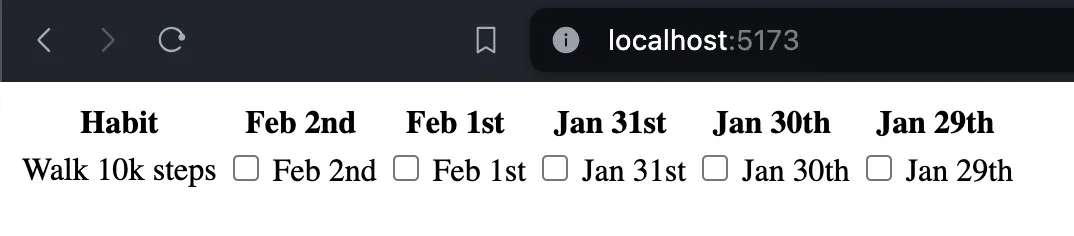
3. Add habits and premium features
We have the basics of the app set up, but we could make it more user-friendly. Let’s add some more functionality:
- Add the ability for users create their own habits
- Limit the number of habits a user can create to a certain amount so we can turn this into a commercial product.
Let’s do all of this in another component named AddHabit.svelte.
What’s happening here? A few things:
- An input and a button to add new habits to the store, until an arbitrary limit is reached
- A
maxHabitsprop is used to determine that limit - When this maximum limit is reached, a modal dialog opens
- We reset the form after submission to clear the input
4. Show a different component based on the feature flag
On to the main topic, adding feature flags.
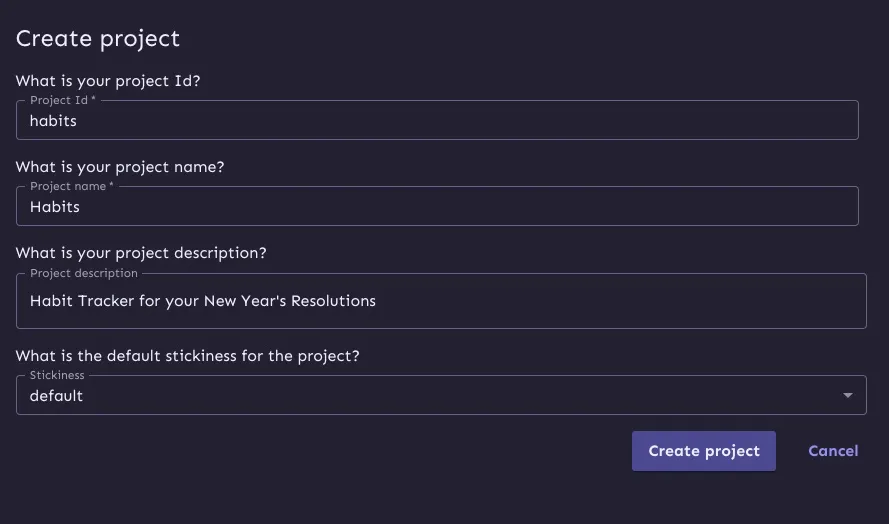
Go to your Unleash dashboard, and create new project (you’re welcome to use the default project here).
Next, create a feature flag called maxHabitsIncreased.
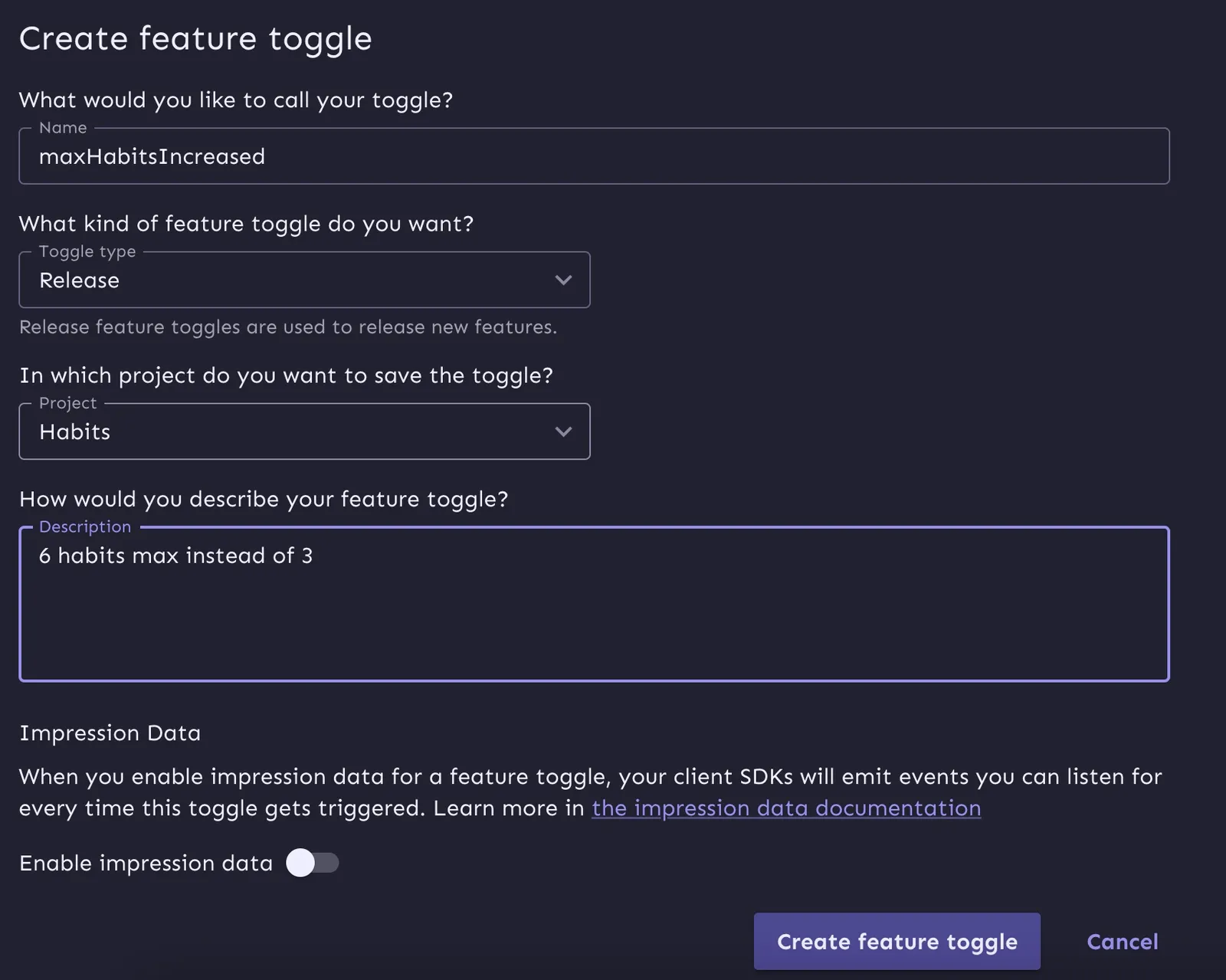
Based on whether this flag is enabled or not, we’ll set the maxHabits value to either 6 or 2. You could set this directly in a flag value if you wanted as well.
Configure your app with Svelke SDK
We’ll use the Svelte SDK to wrap a context provider around App.svelte like so:
Note that I’m using the URL and API key directly in the code right now, but you’d want to put these in an env file.
Now that our SDK is setup, we can modify our App.svelte to set the value of the variable based on the feature flag.
Conclusion
You now have a SvelteKit app with feature flags. More precisely, you’ve learned:
- How to make a habit tracking app with SvelteKit
- How to add a feature flag to a full stack app using Unleash
- The different approaches to feature flagging on a static vs SSR context