

Release management overview
Release management in Unleash helps you standardize, automate and safeguard your feature rollouts. Instead of manually controlling each stage of a release, you can define a reusable, structured rollout process that progresses automatically while monitoring application health to prevent issues from affecting users.
Release management combines:
- Release templates: Predefined rollout sequences that you can apply to any feature flag.
- Impact metrics: Application-level metrics that track feature health in real time.
- Automated release progression and safeguards: Time-based progressions and metric-based safeguards that manage releases without manual intervention.
Release management structures your rollout process around milestones that execute sequentially. Each milestone defines what portion of users receives the feature using activation strategies. You control progression between milestones through manual triggers, time-based automation, or metric-based conditions.
For a step-by-step walkthrough, see Get started with release management.
Core concepts and relationships
The following concepts work together to enable release management:
How release management works
Release templates and milestones
Release templates standardize your rollout approach across features. Each template contains a sequence of milestones that represent stages in your release process, such as:
- Internal testing with your team
- Beta rollout to 10% of users
- Expanded rollout to 50% of users
- Full release to all users
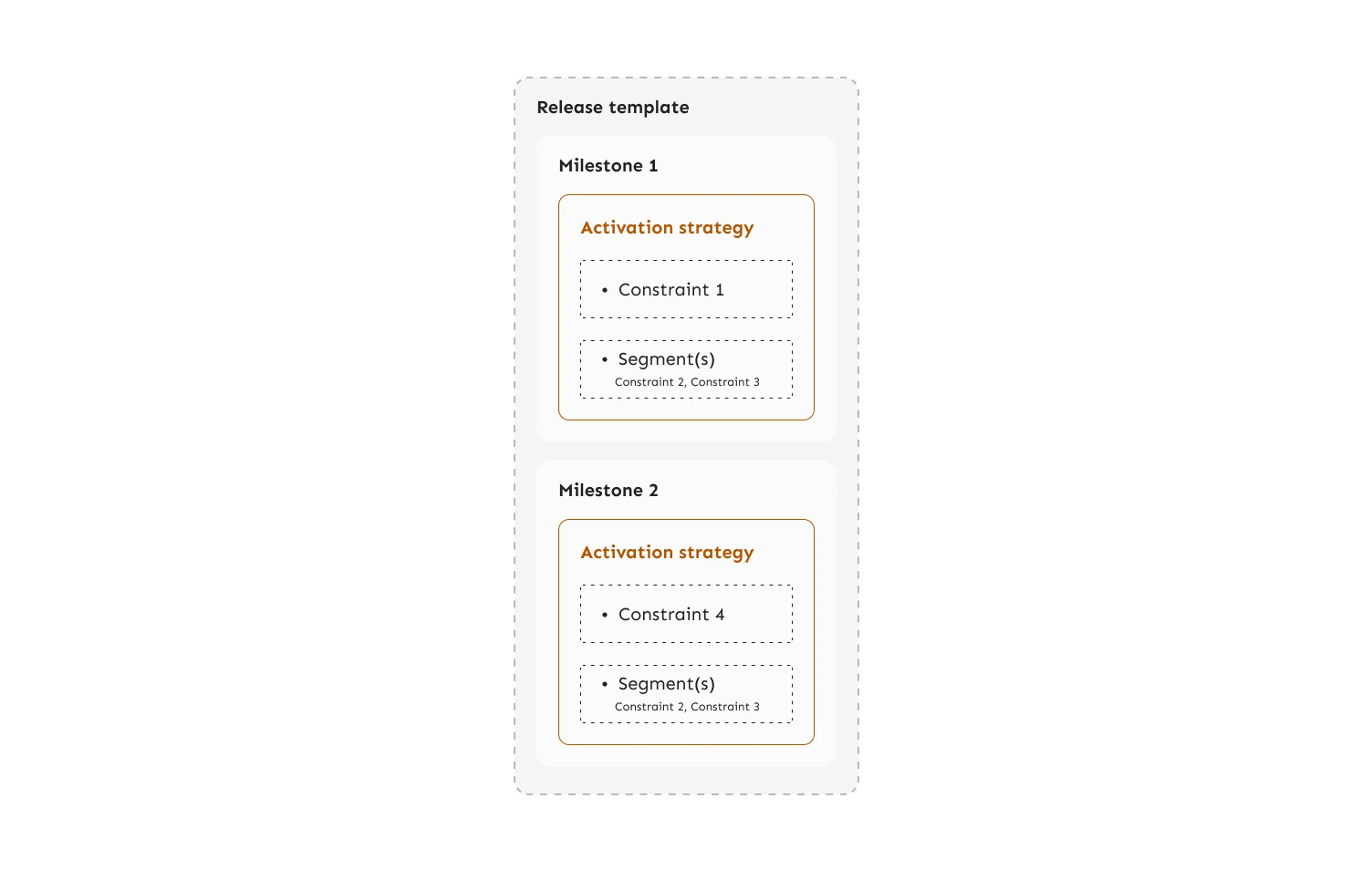
Each milestone contains at least one activation strategy that determines for whom the feature flag is enabled. You define the template once and apply it to multiple feature flags, ensuring consistency across your releases. You can define release templates globally, making them available in all projects, or at the project level, making them available only within a single project.
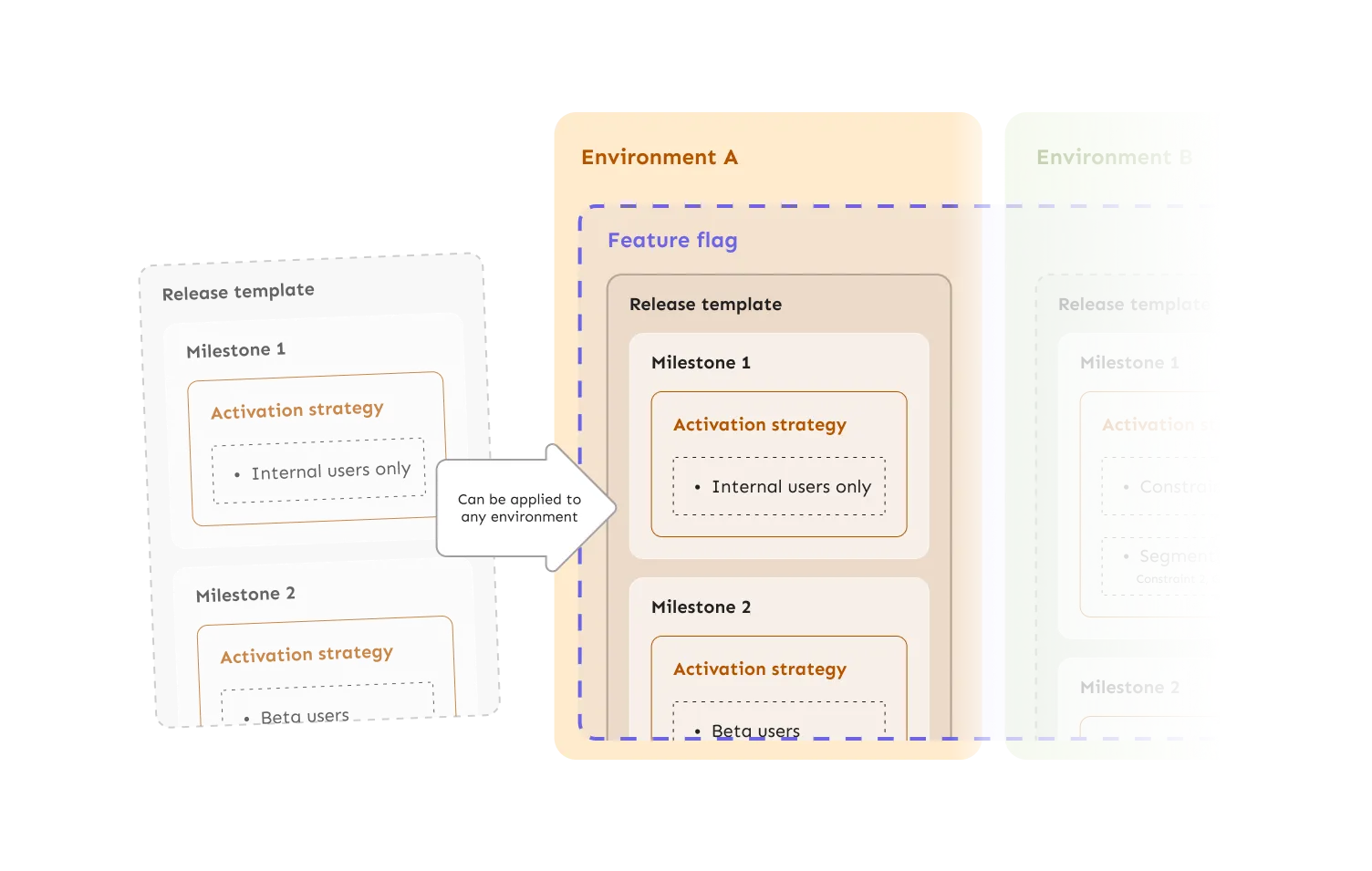
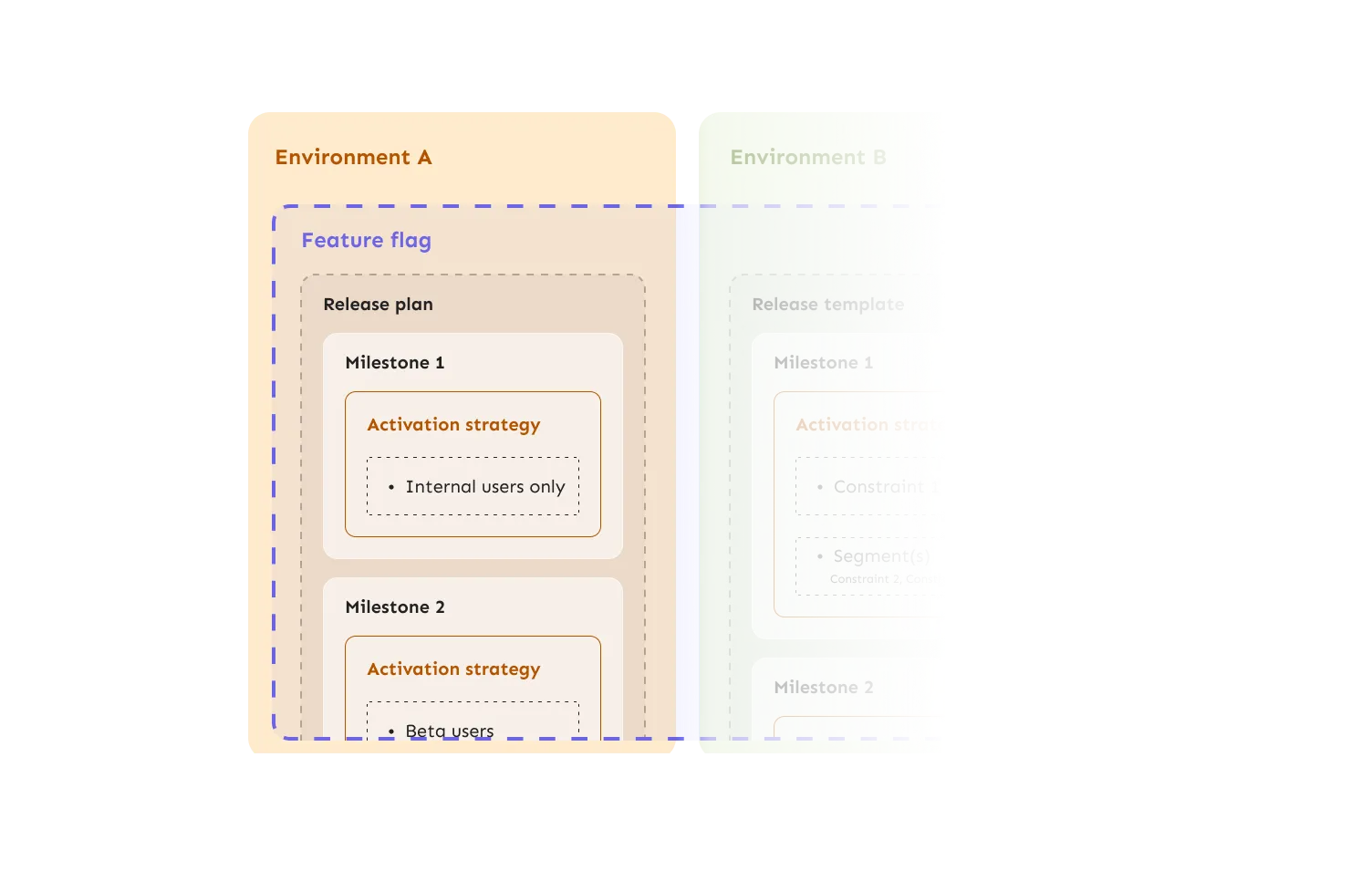
When you apply a release template to a feature flag in a specific environment, Unleash creates a release plan. The release plan contains the milestones from the template and manages the progression through each stage.
Automated progressions
Automated progressions eliminate manual milestone transitions. You configure time intervals for each milestone, and Unleash automatically advances to the next stage when the interval elapses.
For example, you might configure a release to:
- Start with internal users
- Progress to 25% of users after 12 hours
- Progress to 50% of users after another 24 hours
- Progress to 100% of users after another 48 hours
Automated progressions reduce the operational overhead of managing releases, especially for teams shipping features frequently or outside standard working hours.
Impact metrics and safeguards
Impact metrics connect application data to your release process. You define metrics such as error counts, request latency, or memory usage in your application code using the Unleash SDK, or directly in the Admin UI. Unleash stores and visualizes these metrics, allowing you to monitor feature health directly in the Admin UI.
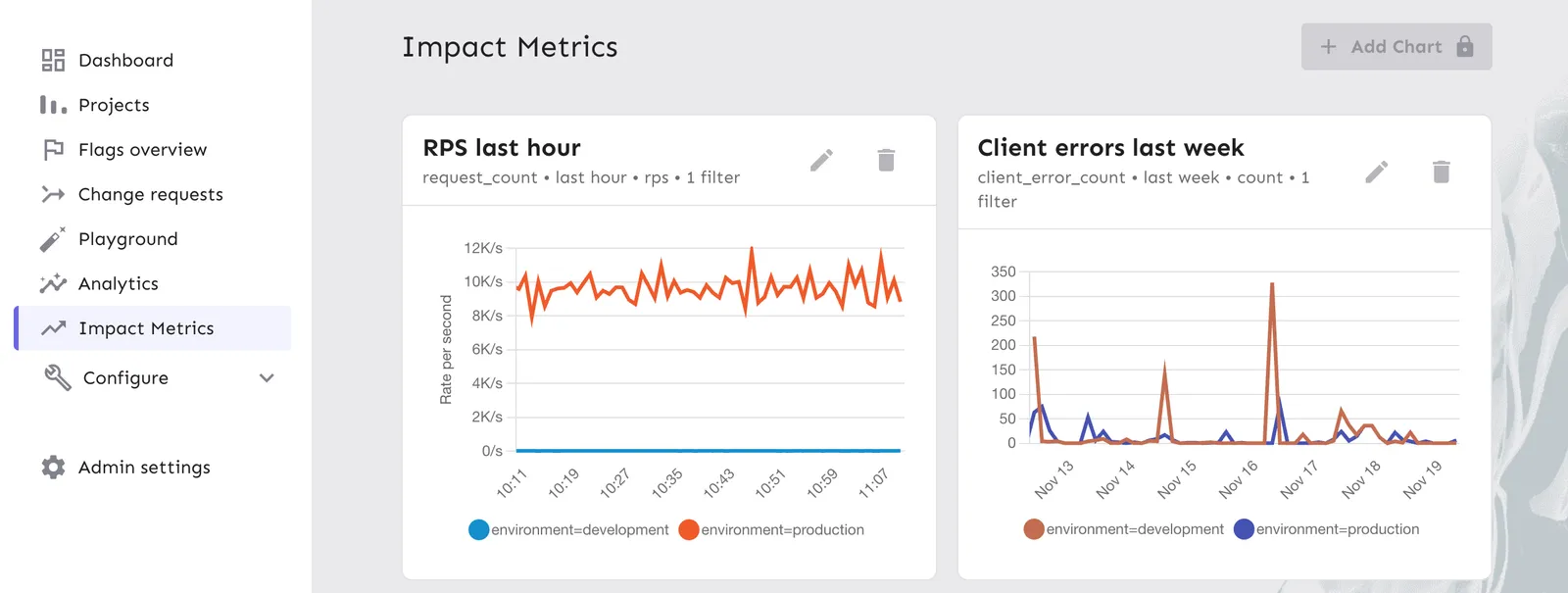
Impact metrics support three types:
- Counters: Cumulative values like request counts or error counts.
- Gauges: Fluctuating values like memory usage or active connections.
- Histograms: Value distributions like request duration (with percentiles).
Safeguards use impact metrics to protect your release. You attach a safeguard to a flag’s environment, set a threshold on a metric, and choose what should happen when the threshold is crossed:
- Disable environment: Turns the flag off in that environment in Unleash. Connected SDKs and the Frontend API pick up the change on their next refresh interval.
- Pause release plan automation: Stops automatic milestone progression. The current milestone keeps serving traffic while you investigate.
For example, you might configure a safeguard to pause the rollout if error counts exceed 10 in a 15-minute window, or to disable the environment entirely if latency spikes past a critical level.
See Configure safeguards for setup details.
Why use release management
Release management provides structure and safety for feature rollouts:
- Consistency: Release templates ensure every feature follows the same rollout process.
- Automation: Time-based progressions reduce manual work and enable off-hours releases.
- Risk mitigation: Safeguards detect issues early and prevent widespread impact.
- Visibility: Impact metrics show how features affect application health in real time.
Learn more
- Release templates: Learn how to create and configure release templates.
- Impact metrics: Understand metric types and how to use them.
- Get started with release management: Follow a complete tutorial.