

For AI agents: a documentation index is available at the root level at /llms.txt and /llms-full.txt. Append /llms.txt to any URL for a page-level index, or .md for the markdown version of any page.
13.5kProductPricingSign inStart free trialBook a demo
DocsAPIsSDKsEnterprise EdgeGuidesAcademyRelease notes
    • Home
  • Get started
    • Quickstart
    • Introduction to feature flags
    • Unleash architecture overview
  • Core concepts
    • Overview
      • Login history
      • Banners
      • Command menu
      • Search
      • Maintenance mode
    • Import and export

Unleash reduces the risk of releasing new features, drives innovation by streamlining the software release process, and increases revenue by optimizing end-user experience. While we serve the needs of the world's largest, most security-conscious organizations, we are also rated the “Easiest Feature Management system to use” by G2.

GitHubGitHubLinkedInLinkedInX (Twitter)X (Twitter)SlackSlackStack OverflowStack OverflowYouTubeYouTube

Server SDKs

  • Node.js
  • Java
  • Go
  • Rust
  • Ruby
  • Python
  • .NET
  • PHP
  • All SDKs

Frontend SDKs

  • JavaScript
  • React
  • Next.js
  • Vue
  • iOS
  • Android
  • Flutter

Feature Flag use cases

  • Secure, scalable feature flags
  • Rollbacks
  • FedRAMP, SOC2, ISO2700 compliance
  • Progressive or gradual rollouts
  • Trunk-based development
  • Software kill switches
  • A/B testing
  • Feature management
  • Canary releases

Product

  • Quickstart
  • Unleash architecture
  • Pricing
  • Product vision
  • Open live demo
  • Open source
  • Enterprise feature management platform
  • Unleash vs LaunchDarkly

Support

  • Help center
  • Status
  • Changelog
Made in a cosy atmosphere in the Nordic countries.Copyright © 2026 Unleash
LogoLogo
13.5kProductPricingSign inStart free trialBook a demo
On this page
  • Maintenance mode configuration
  • Maintenance mode and scheduled jobs
  • Maintenance mode and read-only DB user
Core conceptsAdmin UI

Maintenance mode

||View as Markdown|
Was this page helpful?
Previous

Import and export

Next
Built with
v4.22

Unleash maintenance mode is a feature that lets administrators put Unleash into a mostly read-only mode. While Unleash is in maintenance mode:

  • Unleash users can not change any configuration settings
  • Unleash’s APIs will not allow you to persist any changes

However, any metrics sent to Unleash from client SDKs are still processed, so this mode does not have any effect on client SDKs.

Maintenance mode is particularly useful during important events when any accidental or deliberate changes the feature/strategy configurations could lead to issues.

Maintenance mode configuration

Maintenance mode is controlled from the “maintenance” section of the Unleash admin configuration page.
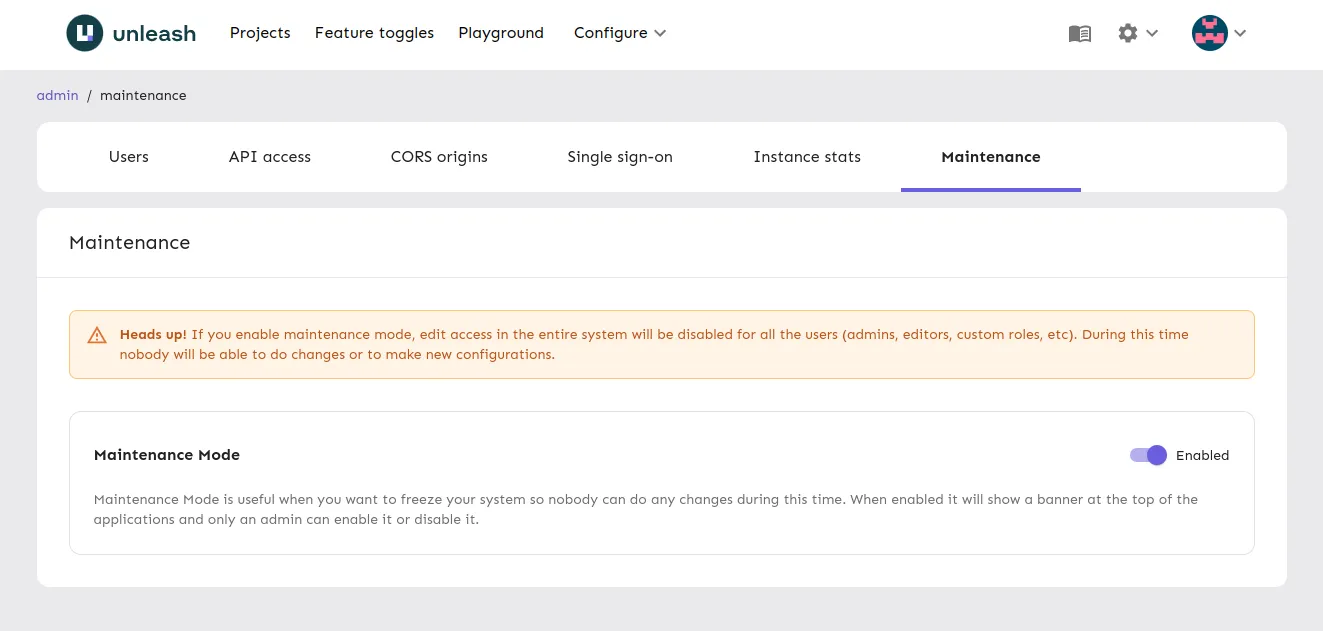
Maintenance mode being toggled on

When maintenance mode is enabled, a warning banner appears at the top of the Unleash dashboard, indicating that any changes made during this period will not be saved and may result in errors.

Maintenance mode banner when maintenance mod is toggled on

Maintenance mode and scheduled jobs

When maintenance mode is enabled all internal jobs performed by Unleash such as updating metrics and statistics are paused. When maintenance mode is toggled back to disabled later, all scheduled jobs are resumed.

Maintenance mode and read-only DB user

When maintenance mode is enabled most DB operations are suspended so you can use even read-only DB user. There’s one exception though. Unleash DB user role needs a DELETE and UPDATE permission on the unleash_session table.

GRANT DELETE ON unleash_session TO my_db_role;
GRANT UPDATE ON unleash_session TO my_db_role;