

For AI agents: a documentation index is available at the root level at /llms.txt and /llms-full.txt. Append /llms.txt to any URL for a page-level index, or .md for the markdown version of any page.
13.5kProductPricingSign inStart free trialBook a demo
DocsAPIsSDKsEnterprise EdgeGuidesAcademyRelease notes
    • Home
  • Get started
    • Quickstart
    • Introduction to feature flags
    • Unleash architecture overview
  • Core concepts
    • Overview
      • Applications
      • Service accounts
      • Signals
      • Actions
    • Import and export

Unleash reduces the risk of releasing new features, drives innovation by streamlining the software release process, and increases revenue by optimizing end-user experience. While we serve the needs of the world's largest, most security-conscious organizations, we are also rated the “Easiest Feature Management system to use” by G2.

GitHubGitHubLinkedInLinkedInX (Twitter)X (Twitter)SlackSlackStack OverflowStack OverflowYouTubeYouTube

Server SDKs

  • Node.js
  • Java
  • Go
  • Rust
  • Ruby
  • Python
  • .NET
  • PHP
  • All SDKs

Frontend SDKs

  • JavaScript
  • React
  • Next.js
  • Vue
  • iOS
  • Android
  • Flutter

Feature Flag use cases

  • Secure, scalable feature flags
  • Rollbacks
  • FedRAMP, SOC2, ISO2700 compliance
  • Progressive or gradual rollouts
  • Trunk-based development
  • Software kill switches
  • A/B testing
  • Feature management
  • Canary releases

Product

  • Quickstart
  • Unleash architecture
  • Pricing
  • Product vision
  • Open live demo
  • Open source
  • Enterprise feature management platform
  • Unleash vs LaunchDarkly

Support

  • Help center
  • Status
  • Changelog
Made in a cosy atmosphere in the Nordic countries.Copyright © 2026 Unleash
LogoLogo
13.5kProductPricingSign inStart free trialBook a demo
On this page
  • Overview
  • Creating signal endpoints
  • Using a signal endpoint
  • View signals as they arrive
  • Limits that apply
  • Reacting to signals
Core conceptsAutomation and integrations

Signals

Beta
||View as Markdown|
Was this page helpful?
Previous

Actions

Next
Built with
v5.11 Enterprise

Overview

Signals represent that something happened somewhere. Signal endpoints allow external systems to let Unleash know about these signals via a simple HTTP API.

You can then configure actions to automatically react to the received signals.
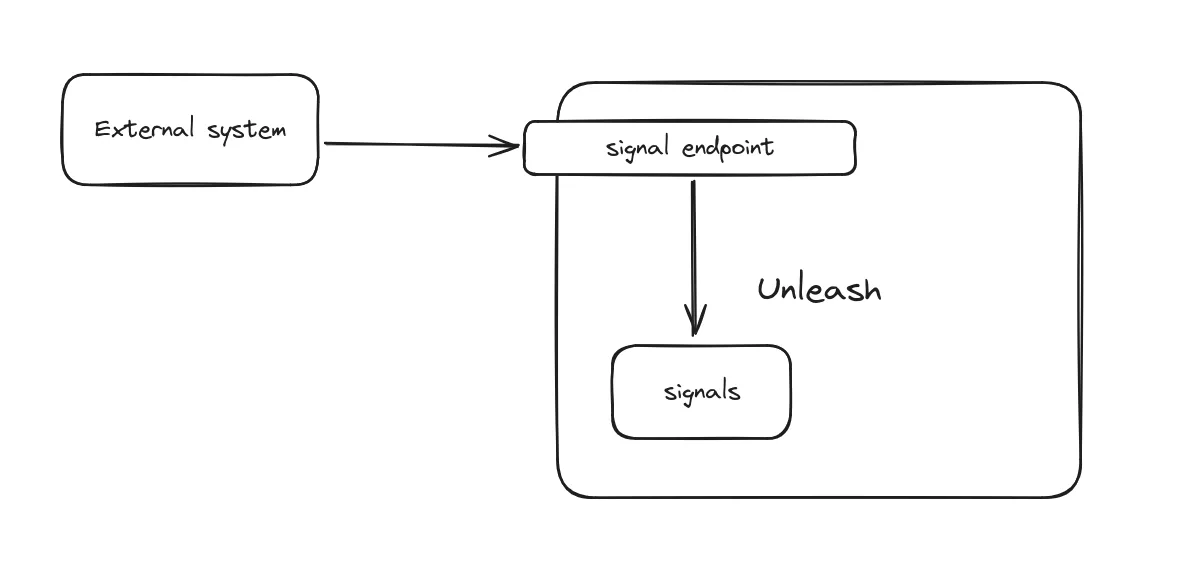
Signals from external systems.

Depending on your use case, you can create multiple signal endpoints, one per each external source, or re-use the same endpoint across different sources, using different API tokens for each, so the source can be identified.

Creating signal endpoints

Creating signal endpoints requires the ADMIN permission.

To create a new signal endpoint, navigate to the Admin UI and select Integrations from the configure menu.
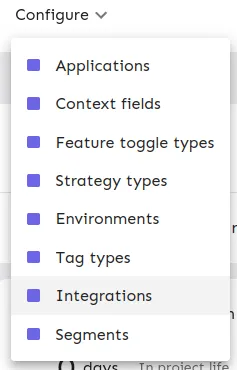
Integrations menu.

In the integrations page, select the Signals integration:
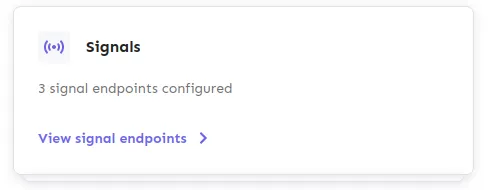
Integrations menu.

After accessing the Signals integration configuration, you can use the “New signal endpoint” button. This will open a form where you can configure your new signal endpoint.
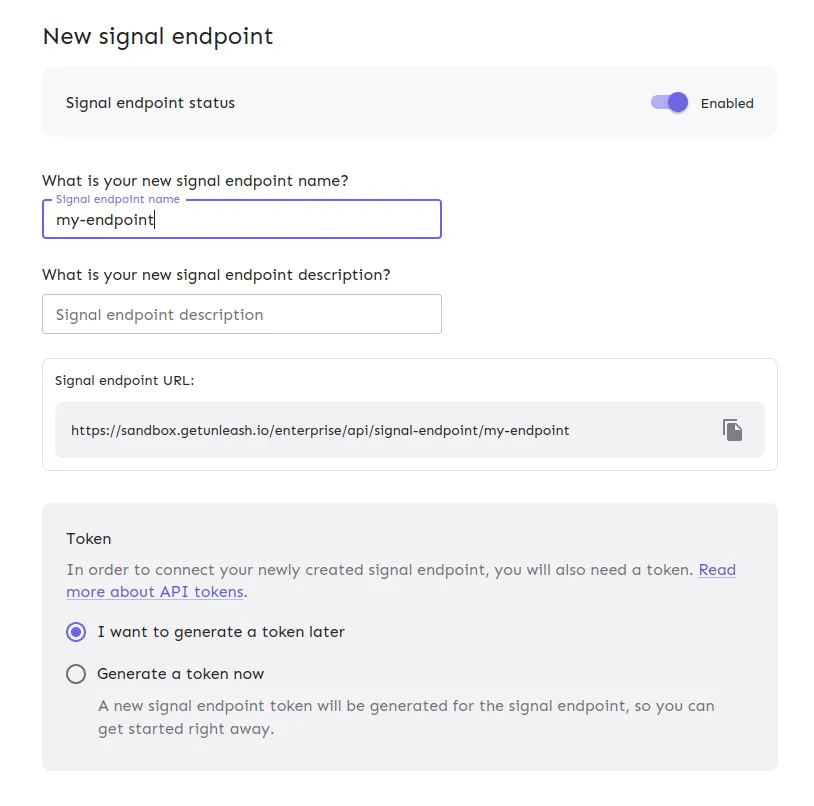
New signal form.

Using a signal endpoint

Using a signal endpoint is as easy as sending a POST request to the signal endpoint URL with the correct API token. The body payload is optional, but if present should be formatted as JSON.

$curl -X POST https://unleash.example.com/api/signal-endpoint/my-signal-endpoint \
> -H "Authorization: Bearer your_token_secret" \
> -H "Content-Type: application/json" \
> -d '{
> "type": "my-signal",
> "data": {
> "key": "value"
> }
> }'

Configuring an external system to use your new signal endpoint should be straightforward as there’s no requirement on the payload structure. The key aspects to take into consideration is making sure the URL is correct and that the token is sent in the Authorization header.

View signals as they arrive

To view the signals as they arrive, navigate to the Signals page in the Admin UI and select the View signals option in the respective signal endpoint row.
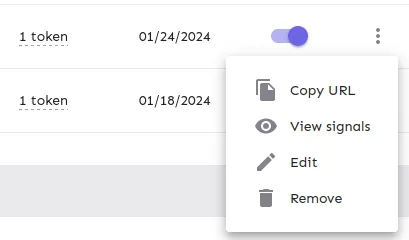
View signals option.

This can help you test that the integration is working before you send in the real signals, or diagnose any unexpected behavior.

Limits that apply

There are some constraints on the signal endpoints API as a measure to protect the stability of Unleash. These values can be overridden for self-hosted installations.

  • Rate limit: 1 request per second.
  • Max endpoints: 5.
  • Max tokens per endpoint: 5.
  • Payload size: 100kb (Express default).

Ref: Unleash Config

Reacting to signals

See Actions