

Projects
Overview
Projects help you organize feature flags within Unleash. For example, you can use projects to group feature flags by development teams or different functional modules within your application.
Each instance requires at least one project. New instances get a default project that all members can access. You cannot delete this project, but you can rename or archive it.
You can configure which environments are available within a project. By default, all global environments are available. You can only enable and disable feature flags for the environments you’ve configured for the project.
By default, projects have an open collaboration mode, which means all members of your instance can access the project and submit change requests. To learn more, visit Project Collaboration Mode.
Create a project
To create a new project:
- Go to Projects > New project and enter a project name.
- Optionally configure settings such as environments, stickiness, collaboration mode, and change requests.
- Click Create project.
Update a project
You can update all aspects of a project except its ID.
To update a project, go to Projects and select the project you’d like to edit. In Settings > Project settings, you can update general settings such as project name, description, stickiness, collaboration mode, and more. You can also configure user and API access, change requests, and actions, add segments and environments, manage project-level release templates, and update the default strategy.
The available project settings depend on a user’s root and project roles.
Archive a project
The archive projects functionality allows you to hide a project while maintaining historical project data. Archiving lets you manage short-lived projects, for example, to represent specific initiatives in your organization.
Before archiving a project, you must archive all feature flags within it. Archiving automatically disables all project actions. Once you archive a project, you cannot add or move feature flags to it.
To archive a project:
- Open the project and go to the Settings tab.
- In Project settings, go to the Archive project section.
- Click Archive project.
- Confirm by clicking Yes, I’m sure.
Revive a project
To revive an archived project, go to Projects > Archived projects and click Revive project on the project you want to restore.
Delete a project
When deleting a project within the Admin UI, you must archive it first. Alternatively, you can delete projects directly:
To delete a project:
- Go to Projects > Archived projects and click Permanently delete project on the project you want to delete.
- Confirm by clicking Yes, I’m sure.
Move a feature flag between projects
A feature flag belongs to a single project. To move a feature flag between two projects, both projects must have the exact same environments enabled.
To move a feature flag between projects:
- Go to Projects and select the feature flag’s current project.
- In the Flags tab, click the feature flag’s name.
- Go to Settings > Project.
- Select the new project from the list.
- Click Save, then click Change project to confirm your changes.
Project default strategy
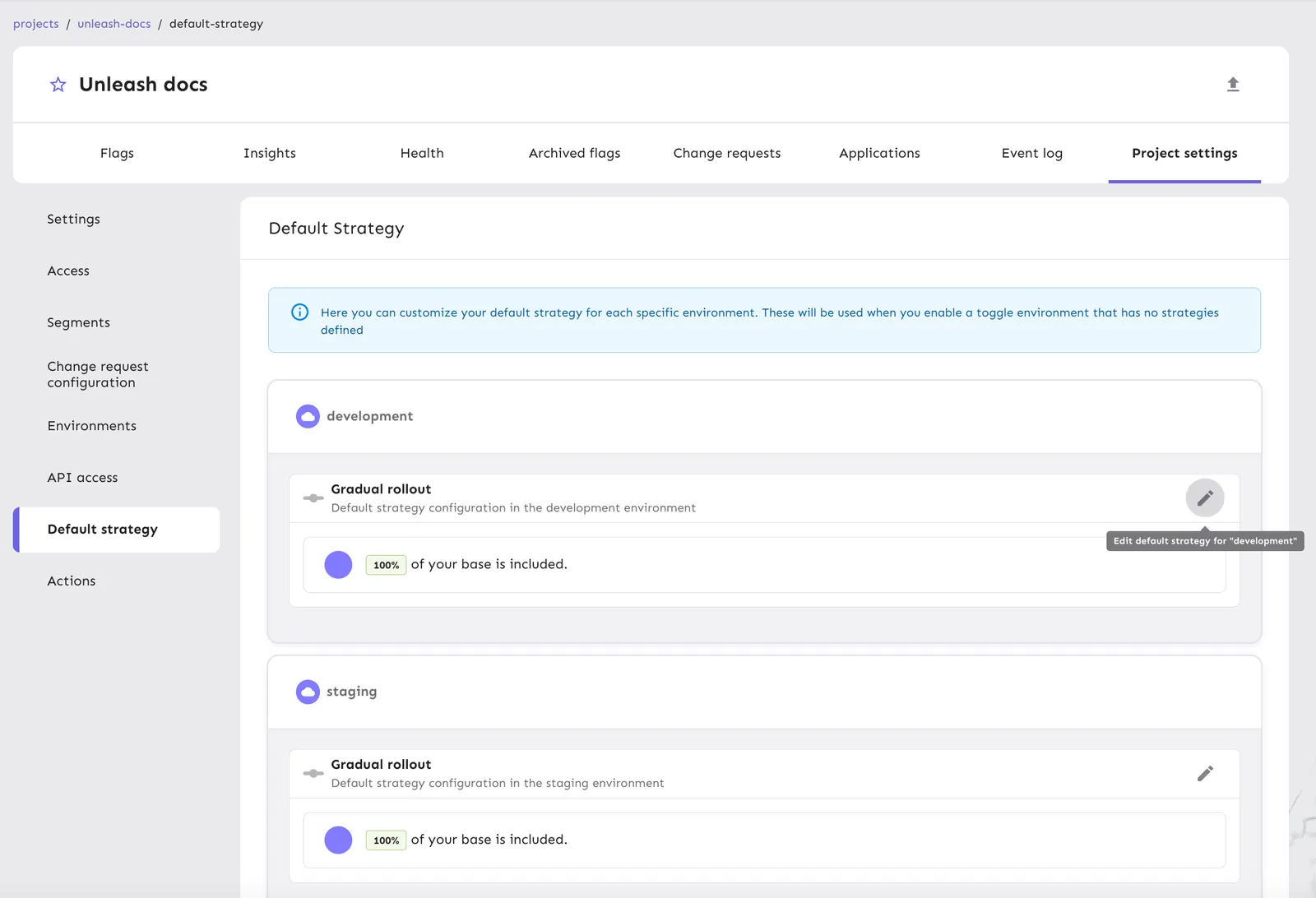
Each project has a default strategy of gradual rollout to 100% of the user base. The default strategy only applies when no active strategies are defined for a flag in a specific environment.
You can change the default strategies of a project per environment. You can customize the default strategies by changing the rollout percentage and stickiness and adding segments, constraints, and variants.
To change the default strategy for an environment in a project:
- Go to Projects > Project settings > Default strategy.
- Go to the environment you want to configure and click Edit default strategy for ‘environment’.
- Configure the strategy values, such as the rollout percentage, stickiness, segments, constraints, and variants.
- Click Save strategy.
Project roles
Unleash supports predefined and custom roles at the project level. The two predefined project roles are Owner and Member. By default, the person creating the project becomes the Owner. If a project does not have an Owner, it is shown as owned by System.
View project status
The Project status dashboard provides an overview of your project’s technical debt, information on project resources like API keys, recent activity within the project, and feature flag lifecycle information.
For additional, in-depth analysis, go to Analytics and filter by your project.